Recomendado
Stellar Blade Complete Edition | RePack | v1.4.1
Stellar Blade Complete Edition | RePack | v1.4.1

/ Visualizações:  90 059 / Comentários: 1

Data de Lançamento: 2025

Gênero: Action, Adventure, RPG

Desenvolvedor: SHIFT UP Corporation

Editora: PlayStation Publishing LLC

Versão do Jogo: v1.4.1

Tipo de Lançamento: RePack

Idioma da Interface: Inglês, Multilíngue

Idioma do Áudio: Inglês, Multilíngue

Medicamento: Embutido (Hypervisor Bypass)


Requisitos do Sistema


Sistema operacional: Windows 10 64-bit

Processador: Intel® Core™ i5-7600k Processor / AMD Ryzen™ 5 1600X Processor

Memória RAM: 16 GB

Placa de vídeo: NVIDIA GeForce GTX 1060 6GB or AMD Radeon RX 580 8GB

Espaço livre no disco rígido: 60.27 GB


Sobre o Jogo


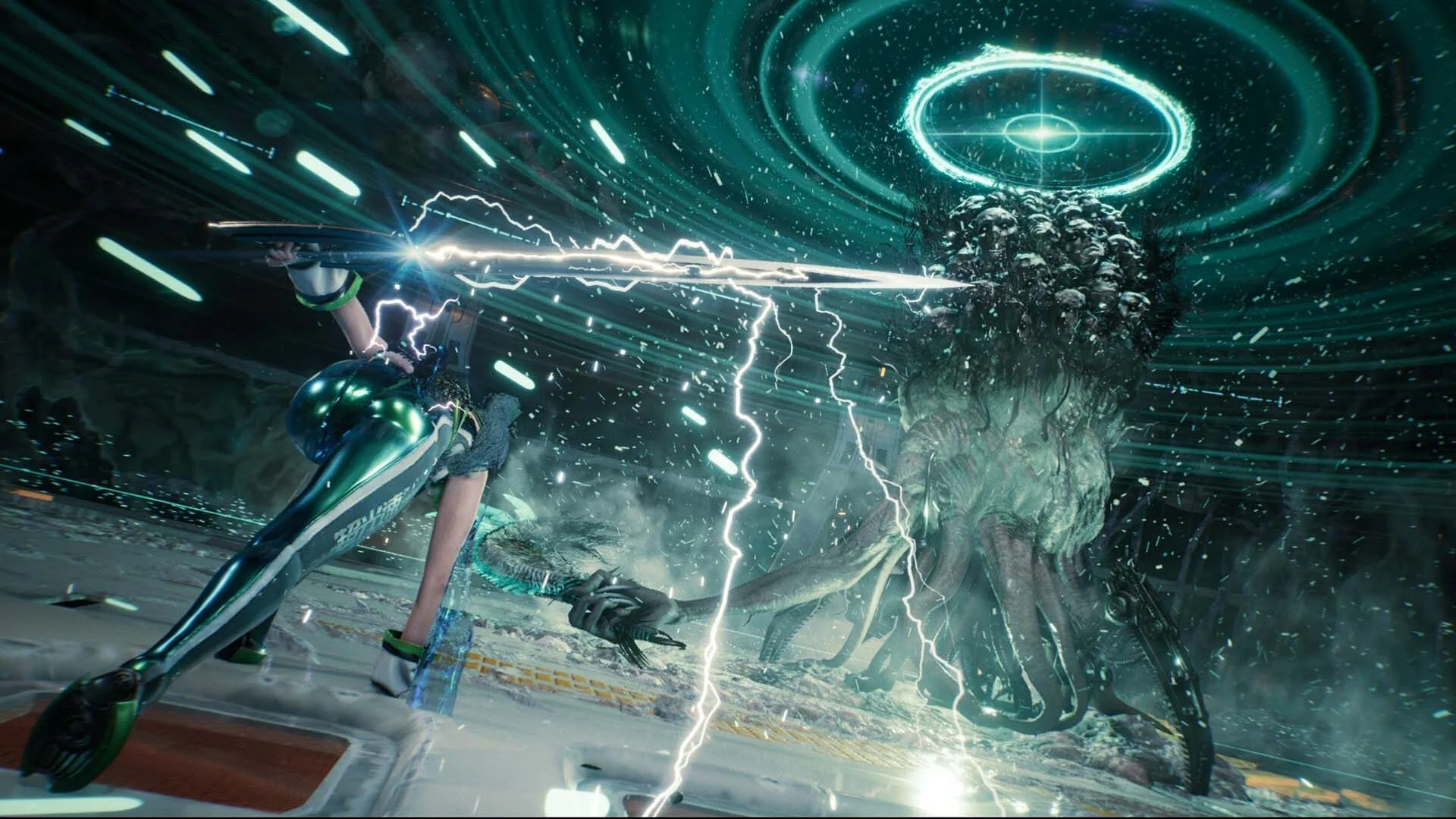
O futuro da humanidade está por um fio. Devastada por criaturas estranhas e poderosas, a Terra foi abandonada, e o que restou da raça humana dizimada fugiu para uma Colônia no espaço. Após viajar da Colônia, EVE chega aos restos desolados do nosso planeta com uma missão clara: salvar a humanidade ao reconquistar a Terra dos Naytiba - a força maligna que a devastou. Mas, enquanto EVE enfrenta os Naytiba um a um e desvenda os mistérios do passado nas ruínas da civilização humana, ela percebe que sua missão está longe de ser simples. Na verdade, quase nada é o que parece ser. Envolva-se em combates rápidos e intensos enquanto abre caminho pelos remanescentes da Terra. Libere combos de ataque graciosos e brutais, desbloqueie novos movimentos e melhorias de armas, e enfrente batalhas épicas contra chefes que desafiarão tanto a mente quanto a força na mesma medida. Mergulhe em um mundo pós-apocalíptico altamente detalhado que mistura beleza e horror de forma espetacular. Desvende uma história envolvente sobre o destino humano, com temas maduros, uma narrativa instigante e revelações emocionantes do começo ao fim.


Capturas de tela Trailer Recursos do Lançamento Conteúdo adicional


  • Nada foi cortado / nada foi recodificado;
  • O tempo de instalação depende da potência do computador;
  • Escolha do idioma nas configurações do jogo, durante a instalação ou no arquivo *.ini na pasta do jogo.
  • -
Comentários 1
Admin
4
Admin2 March 2026 00:57

///////////////////ENGLISH//////////////////////////////

1. Disable your antivirus and Windows Defender, add the game folder to the exclusions
2. All files are already in the game folder. A backup copy is in the _bypass.zip archive in the game folder, in case the antivirus has deleted them
3. Prepare the system to launch games using a hypervisor:
- Reboot and enter the BIOS. Disable Secure Boot and enable virtualization (VT-x on Intel, SVM or AMD-V on AMD).
- Boot into the operating system.
- Run Command Prompt as Administrator and enter: bcdedit /set testsigning on (After rebooting, you will see a “Test Mode” message in the bottom-right corner of the desktop — this is normal.)
- Run Command Prompt as Administrator again and enter: bcdedit /set hypervisorlaunchtype off
- Reboot.
- At this point, the system preparation for launching games using this type of bypass is complete (this only needs to be done once).
4. Open the Command Prompt as an administrator and enter the command: sc create denuvo type=kernel start=demand binPath=D:\Stellar Blade\SB\Binaries\Win64\driver_amd\SimpleSvm.sys  (Just make sure to specify your own path to the SimpleSvm.sys file for AMD. For Intel, use: sc create denuvo type=kernel start=demand binPath=D:\Stellar Blade\SB\Binaries\Win64\driver_intel\SimpleSvm.sys. These files are located in the driver_amd and driver_intel folders respectively.)
5. In the same Command Prompt window, enter: sc start denuvo (After finishing the game, you can stop the service by entering: sc stop denuvo.)
6. Launch the game using SB-Win64-Shipping.exe located in game folder.

If the game still doesn’t start after preparing the system, the following may help:
- Open the command prompt as an administrator and enter the command bcdedit.exe /set nointegritychecks on
- Disable NX Mode in the BIOS (if your BIOS has this option)

///////////////////РУССКИЙ//////////////////////////////

1. Отключите антивирус и Windows Defender, добавьте папку игры в исключения
2. Все файлы уже в папке игры, резервная копия в архиве _bypass.zip в папке игры, на случай если антивирус удалил
3. Подготавливаем систему к запуску игр с использованием гипервизора:
- Перезагружаемся и заходим в Bios, выключаем Secure Boot, а так же включаем виртуализацию (VT-x на Intel, SVM или AMD-V на AMD)
- Грузимся в систему
- Запускаем командную строку от имени администратора, вводим команду bcdedit /set testsigning on (после перезагрузки справа внизу на раб. столе появится надпись "тестовая версия" или как-то так, это нормально)
- Запускаем командную строку от имени администратора, вводим команду bcdedit /set hypervisorlaunchtype off
- Перезагружаемся
- На этом, в целом, подготовка системы к запуску игр с подобным обходом закончена (она делается разово)
4. Запускаем командную строку от имени администратора, вводим команду sc create denuvo type=kernel start=demand binPath=D:\Stellar Blade\SB\Binaries\Win64\driver_amd\SimpleSvm.sys (только указывайте ваш путь до файла SimpleSvm.sys (для AMD) или же sc create denuvo type=kernel start=demand binPath=D:\Stellar Blade\SB\Binaries\Win64\driver_intel (для INTEL), данные файлы будут лежать в папках driver_amd и driver_intel соответственно)
5. В той же командной строке вводим команду sc start denuvo (после окончания игры можете ввести в командной строке команду sc stop denuvo чтобы остановить сервис)
6. Запускаем игру с файла SB-Win64-Shipping.exe в главной директории игры

Если у вас после подготовки системы игра всё равно не запускается, то может помочь следующее:
- Запускаем командную строку от имени администратора, вводим команду bcdedit.exe /set nointegritychecks on
- Выключаем в Bios NX Mode (если у вас таковой пункт имеется)

Information

The ability to comment on this publication has been disabled.