Recommended
Jurassic World Evolution 3: Premium Edition | RePack | v1.2.5.783194

Jurassic World Evolution 3: Premium Edition | RePack | v1.2.5.783194

/ Views:  26 968 / Comments: 2

Release Date: 2025

Genre: Simulation, Strategy

Developer: Frontier Developments

Publisher: Frontier Developments

Game version: v1.2.5.783194

Release type: RePack

Interface language: English, Russian, Multi

Audio language: English

Мedicine: Included (Hypervisor Bypass)


System requirements


Operation system: Windows 10 64bit (min version 22H2)

Processor: Intel i5-6600K / AMD Ryzen 5 2600

Memory: 16 GB

Graphics: NVIDIA GeForce GTX 1060 (6GB VRAM) / AMD Radeon RX 5600XT (6GB VRAM) / Intel Arc A750 (8GB VRAM)

Free hard disk space: 20.68 GB


About This Game


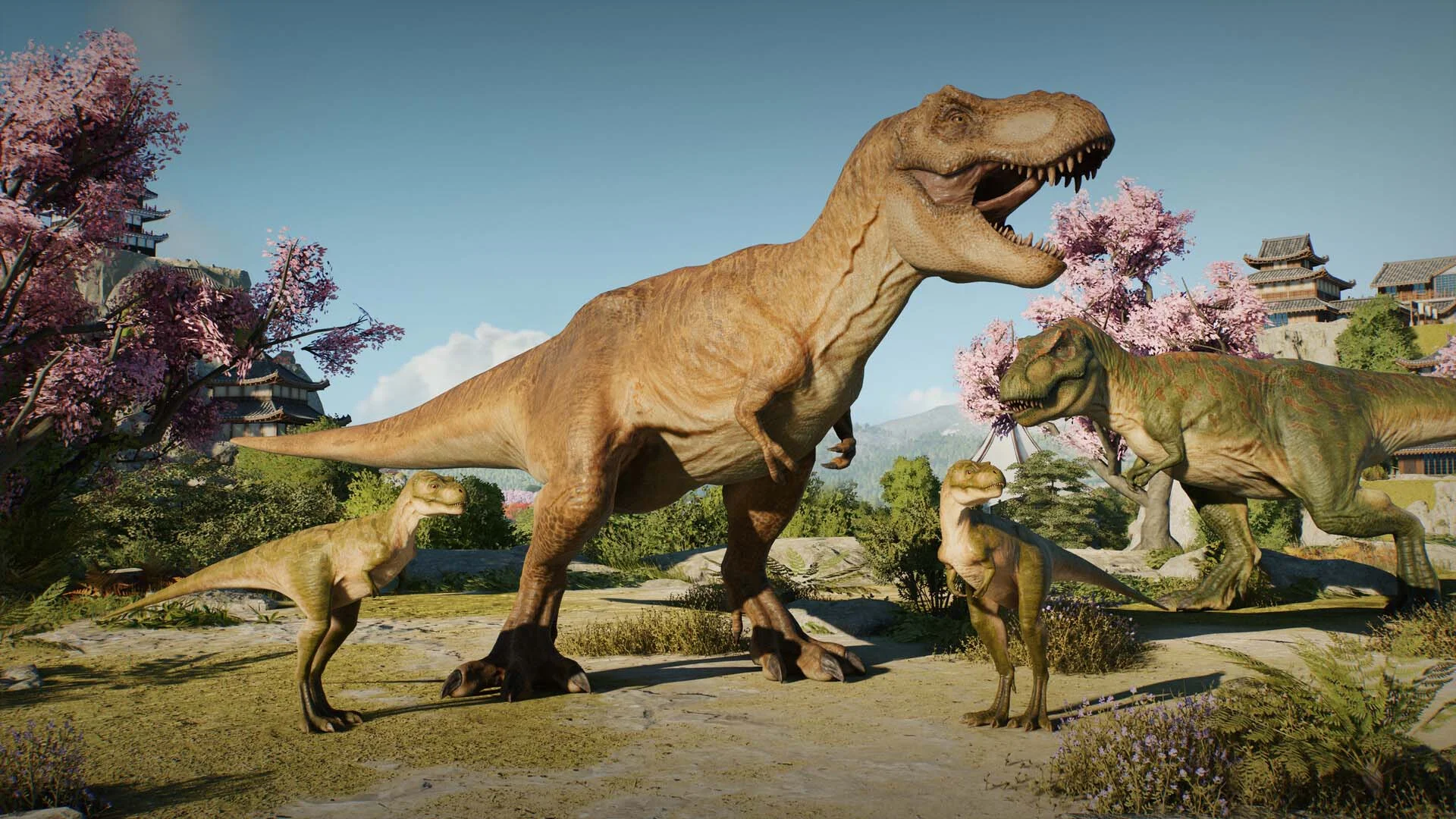
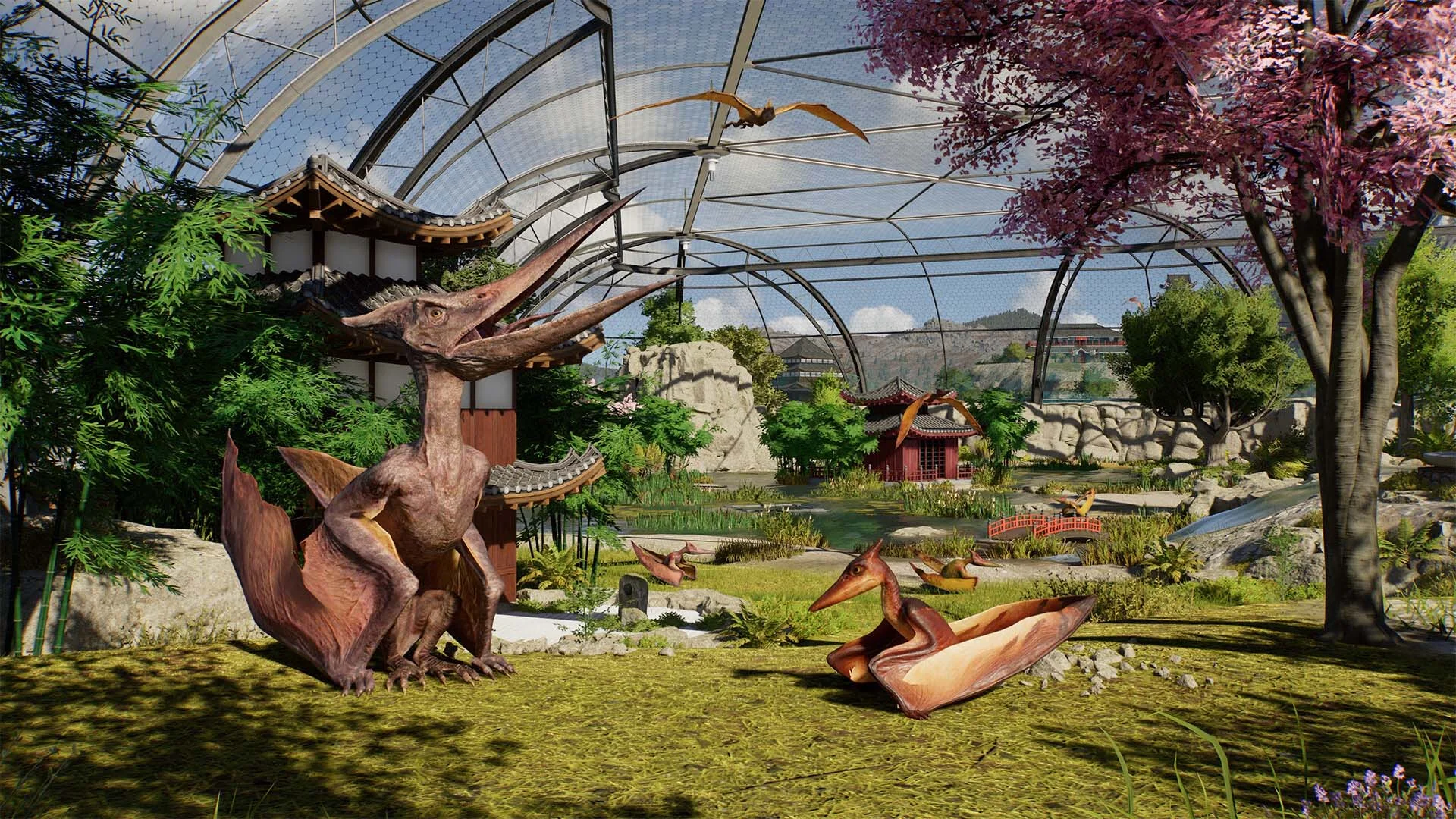
Jurassic World Evolution 3, the latest installment in the acclaimed series, lets you take the reins of your very own Jurassic World. Dive into the adventure of a lifetime as you synthesize, breed, and nurture prehistoric species. Manage each dinosaur and help them thrive by forming families and passing their genes to future generations. Design stunning habitats where your dinosaurs can flourish, build thrilling new attractions to captivate visitors, and maintain control when chaos inevitably strikes. With a roster of over 85 awe-inspiring prehistoric species, you'll have the chance to manage, breed, and nurture entire generations of dinosaur families. Watch them grow from playful juveniles into majestic adults, each featuring unique female, male, and juvenile traits. Visitors will be enchanted as these magnificent creatures socialize and interact with their dynamic surroundings. Keep an eye on their unique social needs and witness new behaviors, with semi-aquatic dinosaurs exploring deep waters and pterosaurs strolling on land. Create breathtaking parks with innovative creative tools never seen before in the Jurassic World Evolution series. From groundbreaking terrain editing to modular scenery customization, you can build and refine every aspect of your park from scratch, or generate a one-of-a-kind map each time with the Island Generator. The choice is yours! Craft naturalistic enclosures using steep slopes and scenic views, and introduce mesmerizing new attractions like the Balloon Tour. Get up close and personal with prehistoric creatures through the Dinosaur Encounter or experience the iconic Cretaceous Cruise, where guests can observe dinosaurs from an aquatic vantage point. Unleash your creativity by creating, uploading, and sharing cross-platform community creations via the Frontier Workshop. Explore the finest community creations, incorporate them into your own game, or design custom parks, buildings, and enclosures to share with other players.

Screenshots Trailer Release Features DLCs


  • Nothing is cut / nothing is recoded;
  • Installation time depends on the computer's power;
  • Language selection in the game settings, during installation, or in the *.ini file in the game folder.
  • Jurassic World Evolution 3: Wetlands
  • Jurassic World Evolution 3: Deluxe Upgrade Pack
  • Jurassic World Evolution 3: Badlands Set

Comments 2
Admin
0
Admin1 March 2026 21:52

///////////////////ENGLISH//////////////////////////////

1. Disable your antivirus and Windows Defender, add the game folder to the exclusions
2. All files are already in the game folder. A backup copy is in the _bypass.zip archive in the game folder, in case the antivirus has deleted them
3. Prepare the system to launch games using a hypervisor:
- Reboot and enter the BIOS. Disable Secure Boot and enable virtualization (VT-x on Intel, SVM or AMD-V on AMD).
- Boot into the operating system.
- Run Command Prompt as Administrator and enter: bcdedit /set testsigning on (After rebooting, you will see a “Test Mode” message in the bottom-right corner of the desktop — this is normal.)
- Run Command Prompt as Administrator again and enter: bcdedit /set hypervisorlaunchtype off
- Reboot.
- At this point, the system preparation for launching games using this type of bypass is complete (this only needs to be done once).
4. Open the Command Prompt as an administrator and enter the command: sc create denuvo type=kernel start=demand binPath=D:\Jurassic World Evolution 3\driver_amd\SimpleSvm.sys  (Just make sure to specify your own path to the SimpleSvm.sys file for AMD. For Intel, use: sc create denuvo type=kernel start=demand binPath=D:\Jurassic World Evolution 3\driver_intel\SimpleSvm.sys. These files are located in the driver_amd and driver_intel folders respectively.)
5. In the same Command Prompt window, enter: sc start denuvo (After finishing the game, you can stop the service by entering: sc stop denuvo.)
6. Launch the game using HypervisorLauncher.exe or hypervisor-launcher.exe located in game folder

If the game still doesn’t start after preparing the system, the following may help:
- Open the command prompt as an administrator and enter the command bcdedit.exe /set nointegritychecks on
- Disable NX Mode in the BIOS (if your BIOS has this option)

///////////////////РУССКИЙ//////////////////////////////

1. Отключите антивирус и Windows Defender, добавьте папку игры в исключения
2. Все файлы уже в папке игры, резервная копия в архиве _bypass.zip в папке игры, на случай если антивирус удалил
3. Подготавливаем систему к запуску игр с использованием гипервизора:
- Перезагружаемся и заходим в Bios, выключаем Secure Boot, а так же включаем виртуализацию (VT-x на Intel, SVM или AMD-V на AMD)
- Грузимся в систему
- Запускаем командную строку от имени администратора, вводим команду bcdedit /set testsigning on (после перезагрузки справа внизу на раб. столе появится надпись "тестовая версия" или как-то так, это нормально)
- Запускаем командную строку от имени администратора, вводим команду bcdedit /set hypervisorlaunchtype off
- Перезагружаемся
- На этом, в целом, подготовка системы к запуску игр с подобным обходом закончена (она делается разово)
4. Запускаем командную строку от имени администратора, вводим команду sc create denuvo type=kernel start=demand binPath=D:\Jurassic World Evolution 3\driver_amd\SimpleSvm.sys (только указывайте ваш путь до файла SimpleSvm.sys (для AMD) или же sc create denuvo type=kernel start=demand binPath=D:\Jurassic World Evolution 3\driver_intel (для INTEL), данные файлы будут лежать в папках driver_amd и driver_intel соответственно)
5. В той же командной строке вводим команду sc start denuvo (после окончания игры можете ввести в командной строке команду sc stop denuvo чтобы остановить сервис)
6. Запускаем игру с файла hypervisor-launcher.exe в главной директории игры

Если у вас после подготовки системы игра всё равно не запускается, то может помочь следующее:
- Запускаем командную строку от имени администратора, вводим команду bcdedit.exe /set nointegritychecks on
- Выключаем в Bios NX Mode (если у вас таковой пункт имеется)

top games
1
top games1 March 2026 23:55

Boa noite você poderia ensinar como instalo o jogo poderia fazer um vídeo não estou conseguindo instalar do jeito que você ensinou pelo contexto acima não estou conseguindo

Add a comment
reload, if the code cannot be seen